
Appearance
Configuring PreProd Network
The preprod testnet of Cardano can be used with any wallet that supports to switch between Testnet and mainnet.
Step 1 — Download and install wallet
Follow the Wallet Setup guide. Your wallet address is your account — no username or password is required.
Step 2 — Select PreProd Network
After installing the wallet (i.e. VESPR), go to the Wallet extension "settings", and find the networks section.
In VESPR, click on "Active Network".
In ETERNL, click on "Network Switcher"
In LACE, click on "Network"
Select PreProd
Step 3 — Claim tADA
Go to the Cardano Testnet Faucet and claim tADA. In order to do so, please select "Preprod Testnet" in the Environment dropdown and "Receive test ADA" in the Action dowpdown.
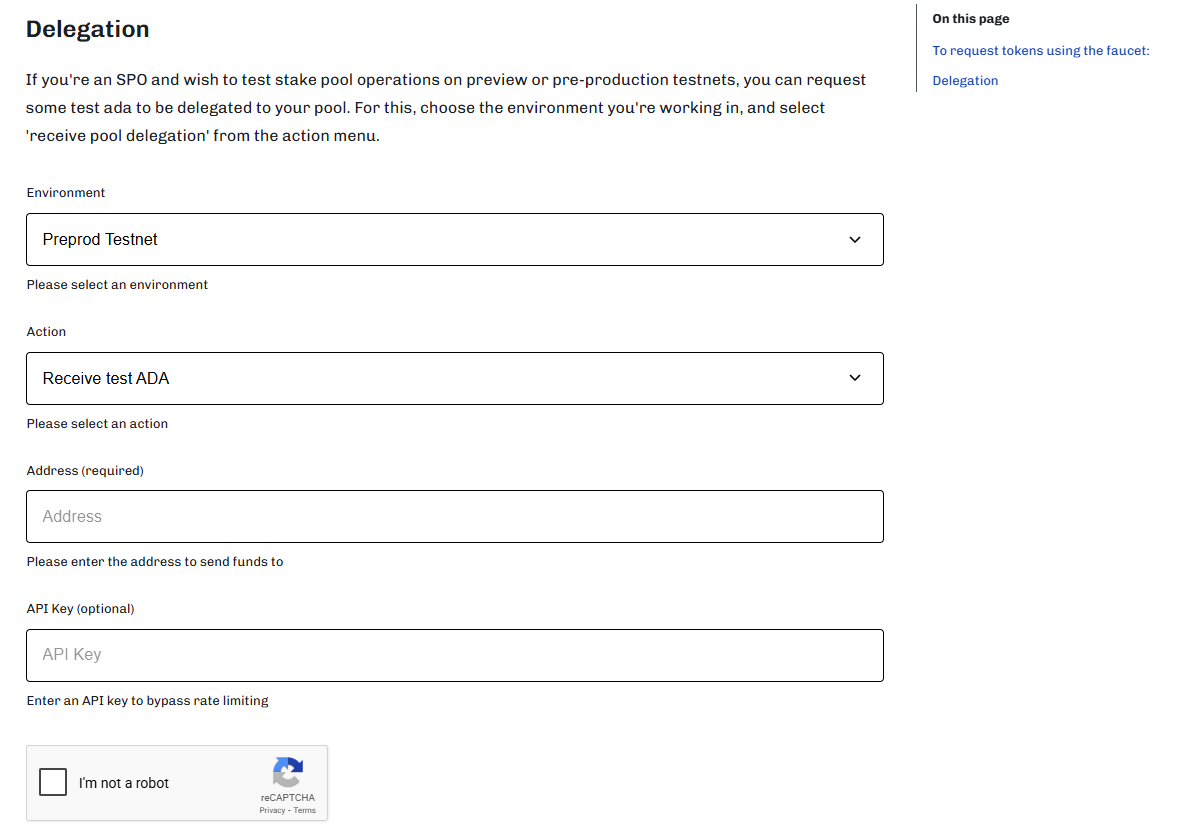
Put the wallet address of your testnet wallet into the Address field, verify with the captcha that you are not a robot and click on "Request Funds". (The API Key field can be ignored)
You have now received your funds to your testnet wallet and can start testing.